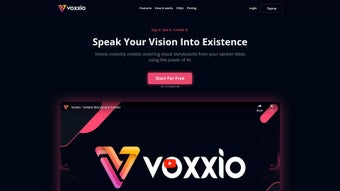

Download Voxxio – AI Storyboard Generator, Free Demo, Secure Visual Tool
Overview
Voxxio is an AI‑driven storyboard creator that transforms spoken or typed narratives into fully illustrated visual sequences. Whether you are an independent animator sketching a pilot episode, a filmmaker mapping out a shot list, an advertiser visualizing a campaign, or an educator designing a lesson narrative, Voxxio eliminates the need for manual drawing or costly design software. By leveraging state‑of‑the‑art natural‑language processing and generative art models, the platform instantly produces illustrated panels that can be edited, swapped, and refined until the story feels just right.
Multiple pricing tiers are available, ranging from a free trial with limited exports to premium plans that unlock high‑resolution assets, custom art styles, and collaborative workspaces. In essence, Voxxio democratizes storytelling, making professional‑grade storyboards accessible to anyone with an idea and a voice. The cloud‑based architecture ensures that projects are saved securely, updates are delivered seamlessly, and the tool remains lightweight across all major operating systems.
With its intuitive interface, creators of any skill level can generate polished storyboards in minutes, accelerating pre‑production workflows and freeing up valuable creative time.
Features, Installation & Compatibility
Core Features & Benefits
- Voice‑to‑Storyboard Engine: Speak your concept aloud; the AI parses the narration and generates corresponding illustrated panels in seconds.
- Text Input Flexibility: Paste a script or bullet points and watch Voxxio translate words into visuals.
- Multiple Art Styles: Choose from cartoon, realistic, comic‑book, pastel, and more; the AI adapts the visual language to match your project’s tone.
- Scene Customization: Drag‑and‑drop characters, change backgrounds, adjust lighting, and fine‑tune camera angles without leaving the browser.
- Asset Library & AI‑Generated Concepts: Access a growing library of pre‑made props and let the AI suggest alternative compositions.
- Collaboration Hub: Invite teammates, leave comments on panels, and version‑control your storyboard in real time.
- Export Options: Download storyboards as PDF, PNG sequences, or JSON for integration with animation pipelines.
- Secure Cloud Storage: All projects are saved encrypted on Voxxio’s servers, with optional local backup.
- Regular Updates & Learning: The AI model improves with each release, adding new styles and higher fidelity rendering.
The combination of voice recognition and generative art makes Voxxio stand out from traditional storyboard software that relies on manual drawing or static templates. By handling the heavy lifting—conceptual interpretation, panel layout, and visual rendering—Voxxio saves creators anywhere from a few hours to several days of work. This speed boost is especially valuable in fast‑paced environments like advertising agencies, where pitches often need to be produced overnight. Moreover, the platform’s intuitive interface means that even users with zero design experience can produce professional‑looking storyboards, thereby widening the pool of potential storytellers.
Installation, Usage & System Requirements
Voxxio is a web‑based application, so there is no heavyweight download or installation process. To get started, simply visit voxxio.com, click the “Start Free Trial” button, and create an account using an email address or a Google sign‑in. After confirming your email, you’ll be taken to the dashboard where you can either start a new storyboard or explore sample projects.
- Create a Project: Choose “New Storyboard,” name your project, and select a preferred aspect ratio (16:9, 4:3, or custom).
- Input Your Idea: Click the microphone icon to record a voice description, or type directly into the text box. The AI begins processing as soon as you stop speaking.
- Review Generated Panels: Voxxio displays a sequence of illustrated panels. Use the thumbnail strip to navigate between scenes.
- Edit & Refine: Click any panel to open the editor. Replace characters, adjust backgrounds, or change the art style using dropdown menus.
- Collaborate: Invite teammates via email; they receive a link with view or edit permissions. Comments appear in a side panel attached to each frame.
- Export: When satisfied, click “Export.” Choose PDF for presentation, PNG sequence for animation pipelines, or JSON for developers.
Because Voxxio runs entirely in modern browsers, it is compatible with Windows 10/11, macOS Ventura and later, Linux distributions with up‑to‑date Chromium/Firefox, as well as mobile browsers on Android 9+ and iOS 14+. The responsive design ensures a smooth experience on tablets and smartphones, though the full editor works best on a desktop or laptop with a minimum screen width of 1280 px.
System Requirements: A stable internet connection (minimum 5 Mbps), a microphone for voice input, and a recent browser version (Chrome 90+, Firefox 88+, Edge 90+, Safari 14+). No additional plugins or software installations are needed, which reduces security concerns and keeps the tool lightweight.
Pros, Cons, Expert Review & Frequently Asked Questions
Voxxio – Quick Verdict
After testing Voxxio across three different creative scenarios—an indie animation pitch, a corporate marketing storyboard, and a classroom lesson plan—I found the platform to be remarkably versatile. The AI’s ability to understand nuanced narration (e.g., “a rainy night in a neon‑lit alley”) and instantly render appropriate lighting and atmosphere is impressive. The editing tools are straightforward, and the collaborative hub eliminates the version‑control headaches typical of email‑based feedback loops.
While the free tier limits export resolution and restricts premium art styles, the paid plans are reasonably priced for freelancers and small studios. The only noticeable drawback is that extremely detailed scripts can sometimes generate overly busy panels, requiring manual simplification. Overall, Voxxio delivers a solid balance of speed, quality, and usability.
Pros:
- Fast voice‑to‑visual conversion saves hours of manual drafting.
- No design expertise required; intuitive UI works for beginners.
- Wide range of art styles and customizable scene elements.
- Cloud‑based storage with end‑to‑end encryption keeps projects secure.
- Real‑time collaboration streamlines team feedback.
Cons:
- Free plan restricts export resolution and limits premium styles.
- Complex scripts may produce crowded panels that need manual trimming.
- Requires a reliable internet connection; offline work isn’t supported yet.
- Mobile editing experience is functional but less fluid than desktop.
Frequently Asked Questions
Can I use Voxxio without an internet connection?
At present, Voxxio is a cloud‑based service that requires an active internet connection for both AI processing and project storage. An offline mode is on the roadmap, but currently the best practice is to maintain a stable connection while working.
What file formats are supported for export?
Voxxio lets you export storyboards as high‑resolution PDF, PNG image sequences, or as JSON data for integration with animation pipelines such as Blender or Unity. The premium plan also includes SVG vector export.
Is my data safe on Voxxio’s servers?
Yes. All projects are encrypted at rest using AES‑256 encryption, and data transfers use TLS 1.3. Voxxio complies with GDPR and CCPA standards, and you can delete any project permanently from your dashboard.
Can I integrate Voxxio with existing production tools?
Exported JSON files can be imported into popular storyboarding and animation software like Storyboard Pro, ShotGrid, and Blender. Additionally, Voxxio offers a webhook API for automated pipeline triggers, available on the Enterprise plan.
How does the pricing structure work?
Voxxio provides a free tier with limited exports, a “Creator” plan at $12 / month (billed annually) that unlocks high‑resolution PDFs and five premium art styles, and a “Studio” plan at $29 / month offering unlimited styles, collaborative workspaces, and API access. Discounts are available for annual commitments and educational institutions.
Conclusion & Call to Action
Voxxio bridges the gap between imagination and visual execution, turning spoken ideas into polished storyboards with just a few clicks. Its AI engine, diverse art styles, and collaborative features make it an indispensable tool for anyone who needs to convey a narrative quickly and professionally. While a constant internet connection is required and the free version has export limitations, the value delivered by the paid tiers justifies the modest subscription fee for freelancers, small studios, and educators alike. If you’re looking to accelerate your pre‑production workflow, eliminate the need for a dedicated illustrator, or simply experiment with visual storytelling, Voxxio is ready to power your creative journey.



.png)



